Make your photo move: AI video from a photo
Guide · 6 min read · Updated 10 Oct 2026
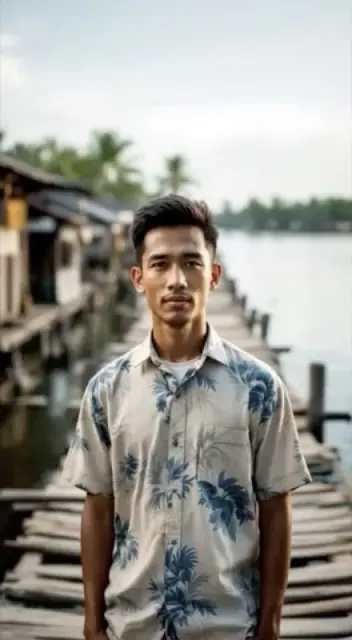
You can turn a photo into a short clip in two ways. A Moment does it for you: pick one, add a photo, tap Dream it. Or choose a video engine and describe the movement yourself. New to Video? Start with the guide.
Which photo-to-video effect should you pick?
Moments sit at the top of the Video page. You choose the photo; the Moment picks the engine and the words, and makes a 5-second clip.
| Moment | What happens | Best photo | Price |
|---|---|---|---|
| Come alive | A blink, a breath and a small smile, as the camera drifts slowly in. | A clear photo of one person | 60 Sparks |
| Earth zoom-out | The camera rises from where you stand, through the clouds, until the whole Earth is in view. | Taken outdoors, showing where you are | 70 Sparks |
| Boss pet | Your pet puts on sunglasses and stares at the camera as a gold chain settles round its neck. | Your pet, facing the camera | 60 Sparks |
| Main character | A slow-motion walk towards the camera in warm light. | Waist-up | 60 Sparks |
| Old photo, alive | The person blinks, breathes and smiles faintly while the camera stays still. | Black-and-white or faded | 60 Sparks |
| Out of the box | An action figure pushes its pack open and steps out onto the shelf. | A toy-box picture from Trends, or a real figure in its pack | 70 Sparks |
| Home video, 1985 | A 1985 snapshot becomes camcorder tape: laughing, waving, VHS grain. | A 1985 snapshot made in Trends | 60 Sparks |
Earth zoom-out and Out of the box run on P-Video at 720p; the rest run on Seedance Lite at 480p. In our October 2026 test (one AI-made photo per Moment), Seedance Lite kept every face, and kept headscarves on, in the people Moments. See the prompt shows what a Moment asks for; Write your own lets you change it.
Which photo works best for AI video?
Tall photos are cropped, wide ones aren't
For Come alive, Earth zoom-out, Boss pet and Main character, a tall photo is cropped to 9:16. Wide and square ones keep their shape. Check the photo tile before you tap Dream it: it shows exactly what will move.
Waist-up for Main character
It keeps the face best as the person walks towards the camera.
Outdoors for Earth zoom-out
Use an outdoor photo that shows the place. It runs on P-Video, where faces can drift, so skip close-up portraits.
Old photos keep their grain
For Old photo, alive, the prompt asks to keep the grain, scratches and faded tones, and nothing is added.
Pets face the camera
Boss pet needs a clear photo of your pet looking at the camera.

How do you make an action-figure or 1985 home video?
Out of the box needs a figure in its pack. Home video, 1985 needs a picture that already looks like 1985: Seedance Lite keeps a photo's own look, and in our October 2026 test a prompt alone couldn't turn a modern selfie into camcorder tape. So when you add your own photo, both offer to make that picture first.
Open the Moment and add your photo.
Tap Make my 1985 snapshot first or Make my action figure first. Trends opens with that look and your photo in place.
Tap Dream it there (10 Sparks at the default quality).
When the picture is ready, tap Bring it to life. It goes to the Moment as it is, never cropped.
Tap Dream it in the Moment.
To skip that step, tap Use this photo as it is. Any Trends result can come to life: a look without its own Moment goes to Come alive. More in Turn your photo into a trending look.
Is the sharper HD version worth it?
When a Seedance Lite Moment finishes, tap Again for another take at the same price, or Make it sharper to re-make it on MiniMax H3 at 768p for 270 Sparks. Keep the sheet open until the clip finishes: Make it sharper appears there, not on the clip card.
It's a new clip from the same photo and prompt, not a polished copy, so it may move differently. H3 takes about three minutes and always includes sound. Earth zoom-out and Out of the box don't offer it.
Make the cheap clip first. Only tap Make it sharper on one you'd actually share.
Which AI video engine should you choose?
In the box at the bottom of the Video page, describe your own clip. Tap the picture icon to start from your photo (or Animate on any gallery picture), then pick an engine. Camera moves and effects are only hints added to your words.
We haven't compared these engines side by side, so these notes say what each is built for.
| Engine | Good for | Shortest clip |
|---|---|---|
| Seedance Lite | Cheap drafts and loops at 480p. The default. | 4 s · 48 Sparks |
| P-Video | Scenery and big camera moves at 720p, in about 15 seconds. Faces can drift. | 5 s · 70 Sparks |
| Kling 2.5 Turbo | Rich motion and cinematic framing, for much less than Kling 3.0. | 5 s · 240 Sparks |
| Hailuo 02 | Believable physics and expressive subjects. No shape choice. | 6 s · 180 Sparks |
| MiniMax H3 | Lifelike motion with sound, at 768p. About three minutes a clip. | 5 s · 270 Sparks |
| Veo 3.1 Lite | The cheapest clip with sound and dialogue. Wide or tall, no square. | 4 s · 136 Sparks |
| Veo 3.1 Fast | Sound and dialogue like Lite, at about three times the Sparks. Try Lite first. | 4 s · 400 Sparks |
| Kling 3.0 | Kling's newest, built for filmic motion. No sound. Draft on a cheaper engine first. | 5 s · 560 Sparks |
| Seedance 2.0 | The newer Seedance, with sound. The priciest engine here. | 5 s · 600 Sparks |
Want sound? Pick an engine with the speaker icon, such as MiniMax H3, Veo 3.1 Lite, Veo 3.1 Fast or Seedance 2.0. Not sure? Draft on Seedance Lite, then re-make your best idea on a pricier engine.
How do you make a longer AI video?
Make your first clip, or a Moment.
Tap Continue on it: its last frame starts the next clip. Nothing is charged until you send it.
Describe what happens next. The engine and shape carry on from the clip before, so the look does too.
On the newest part, tap Join into one (3 Sparks): every part, in order, as one video.
Your 24 most recent clips stay on the Video page, not in Gallery, so save the ones you want. If a clip fails, your Sparks come back automatically.


